01
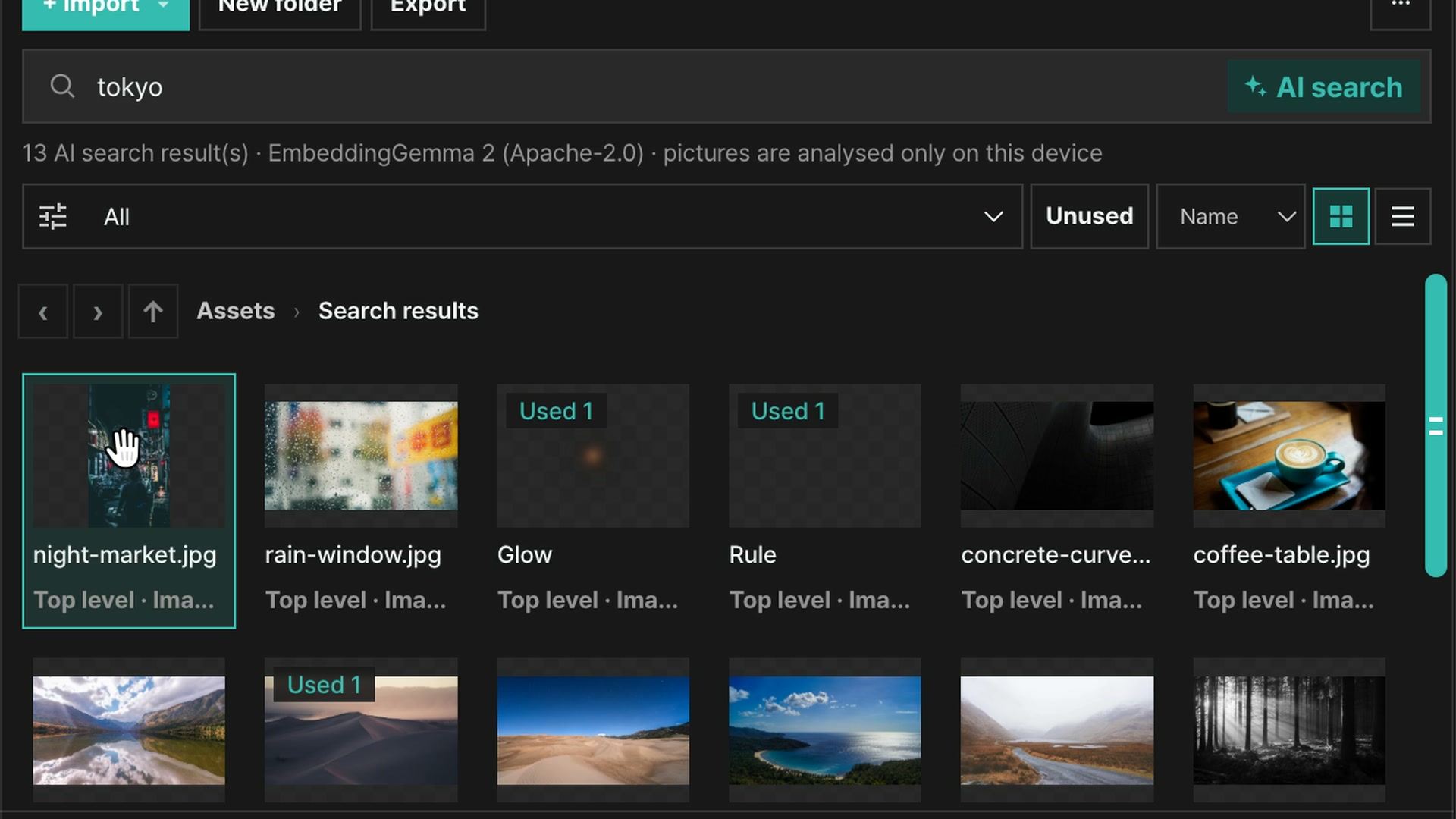
AI search
Search by what a picture shows, not by its file name. Type “Tokyo” or “desert at sunset” and photos and videos sort by relevance.
Edit large videos without limits and keep projects saved straight to your own folder. Installing adds the agoneco command, so AI agents can edit the same project with you.
Pick the file for your operating system. It installs the editor and the agoneco command together; nothing else, such as Node.js, is needed.
Download for WindowsmacOS (Apple Silicon)macOS (Intel)This is a test build. It is unsigned, so your system may warn you the first time.
The desktop app cannot be installed on a phone or tablet. Open this page again on a computer.
The agent finds, builds and reviews. Turn a voice clip into subtitles, then delete a line in the script to cut that part. Real screens from the desktop app.
Search by what a picture shows, not by its file name. Type “Tokyo” or “desert at sunset” and photos and videos sort by relevance.
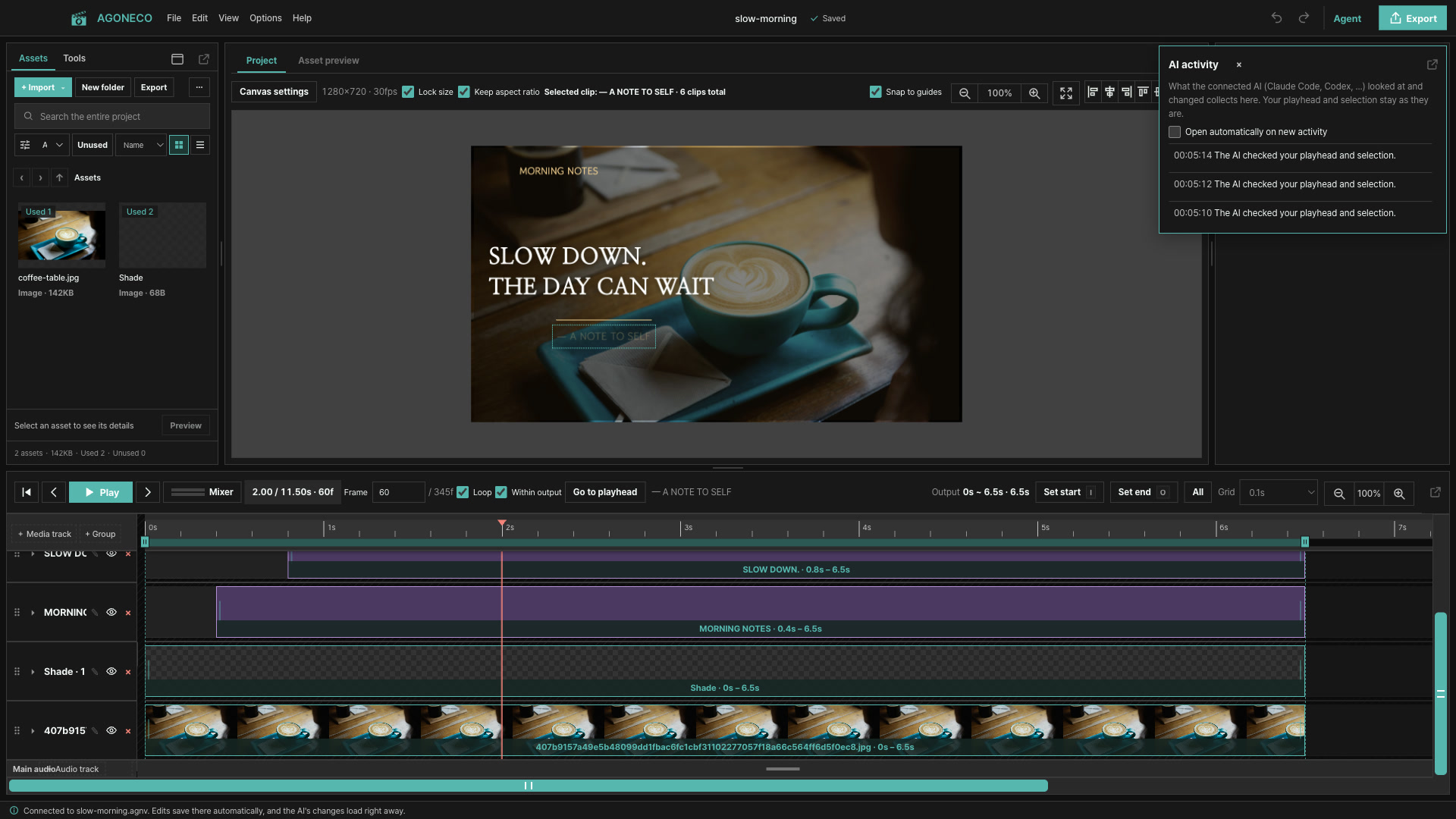
The agent adds photos and motion to the timeline. You see the result in the same window and can adjust it by hand.
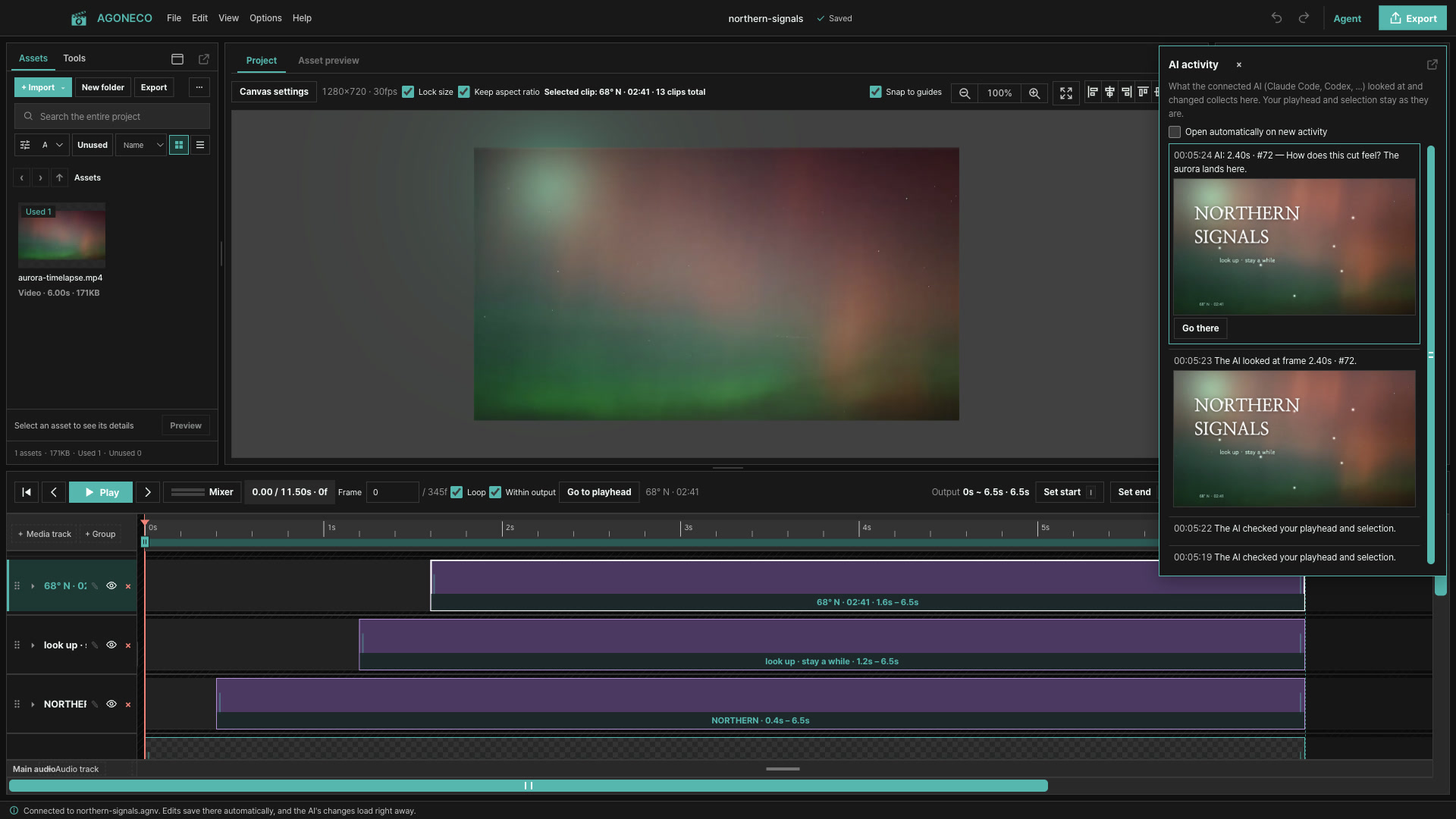
The agent captures a frame and asks, “How does this cut feel?” Go there and keep editing from that moment.
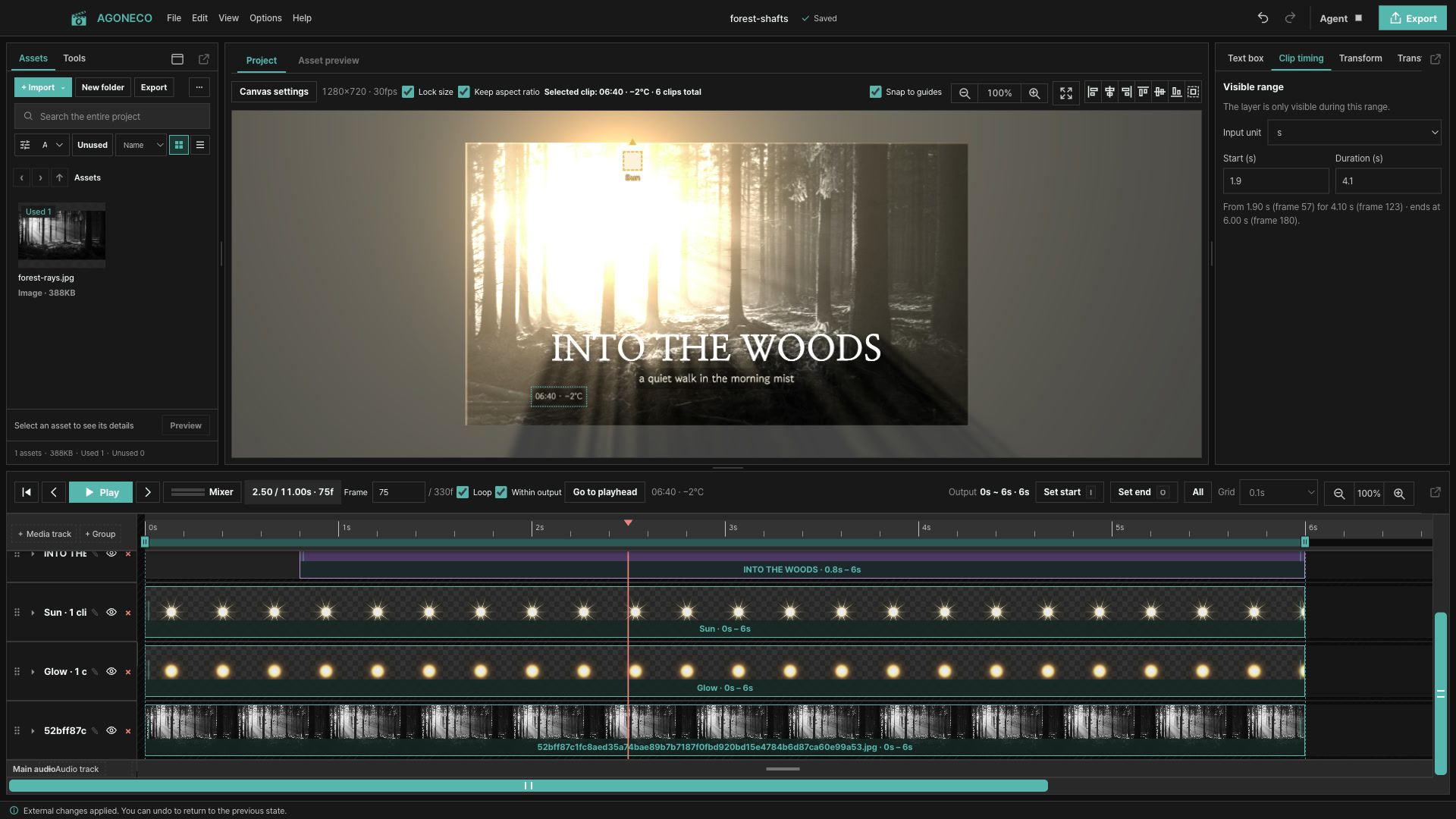
Change the light colour and strength and the canvas responds at once. Undo returns to the previous state.
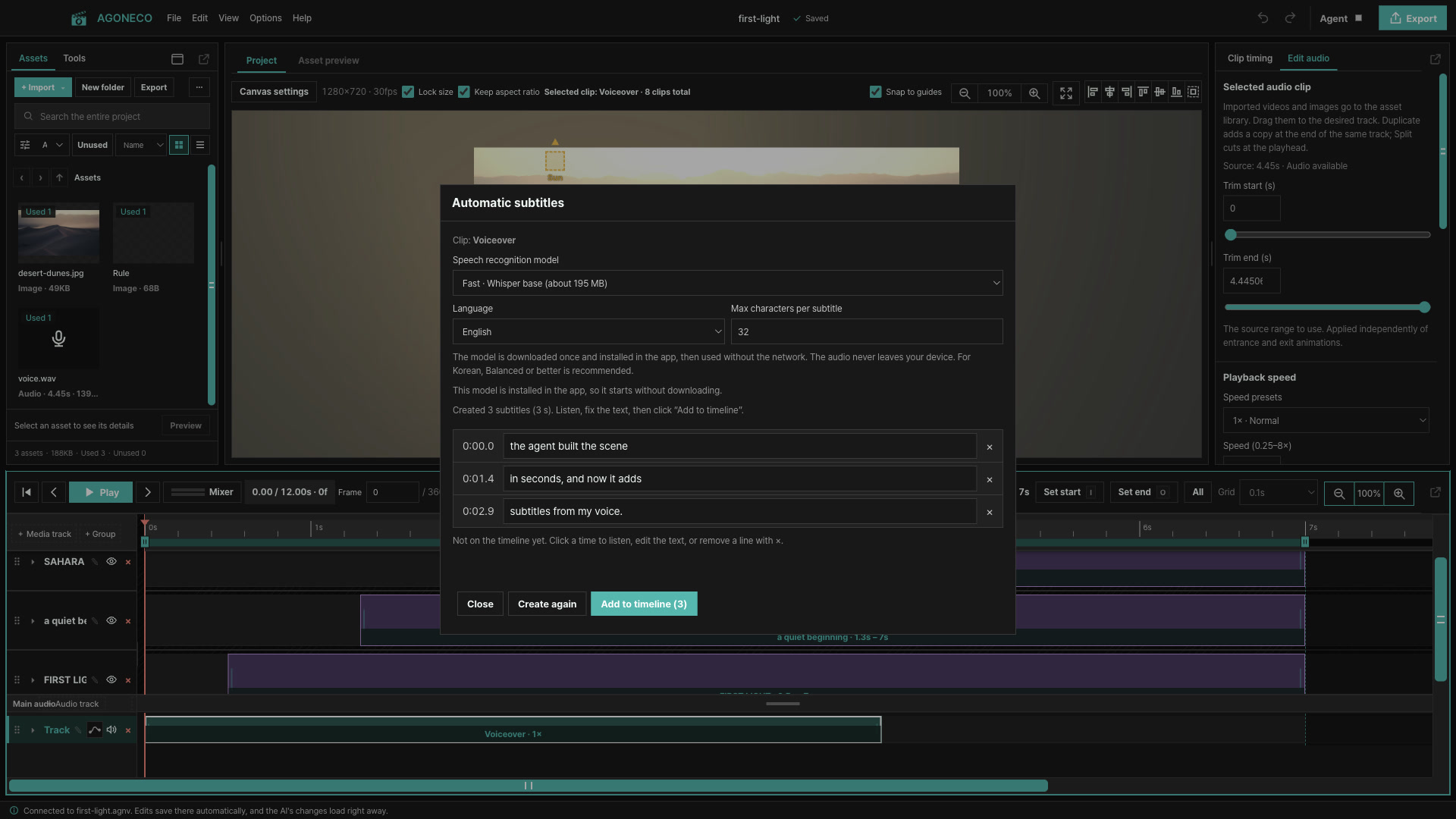
Turn a voice clip into subtitles, then delete a line in the script to cut that part. The model downloads once; the audio never leaves your device.
Video and audio play from the folder without being copied. Long projects have no size limit.
Edits keep saving into the project file, so your work survives clearing browser data.
.agnv and .agoneco projects open in both the web editor and the app, media paths included.
Claude Code, Codex and opencode edit the same project with the agoneco command; changes appear at once.
Describe the video you want and the agent builds the timeline. Watch the preview, adjust it yourself, ask for the next change; the same window follows along.
Open the downloaded .dmg and drag AGONECO to Applications. The build is unsigned, so if a warning appears the first time, right-click the app and choose Open.
Run the downloaded .exe and follow the installer. If SmartScreen warns, choose "More info → Run anyway".
macOS (Apple Silicon or Intel) and 64-bit Windows 10 or 11. The editor window shares the web editor’s screens and features.
You can start in the web editor with no install. A project you make there opens in the app later, and from then on it autosaves to the folder.
Open editor